
Most affiliate review videos fail for a reason that has nothing to do with the video. The camera work can be fine, the script can be fine, the product can be good. The problem is the keyword.
People pick a product they like, make a review, and only afterwards find out whether anyone was searching for it, or whether ten bigger channels already own that search.
This guide covers YouTube keyword research for affiliate marketing the other way round: find the buyer search first, check you can compete, then make the video. And then, once it ranks, make sure the viewers it brings actually turn into sales and subscribers.
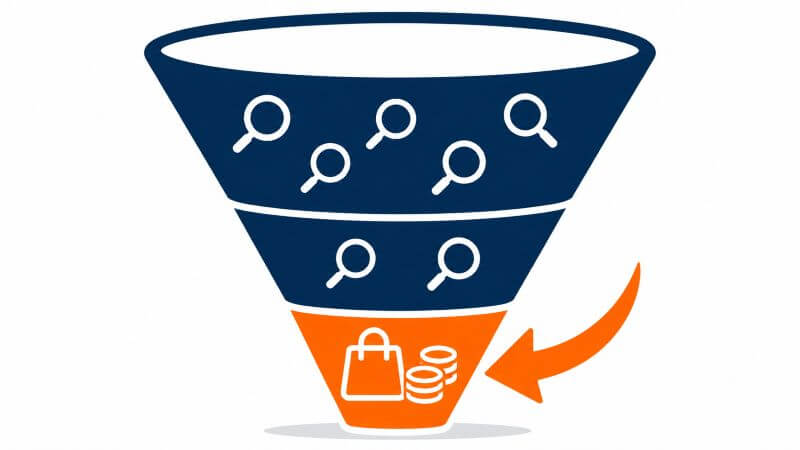
Why Buyer Intent Beats Search Volume
Not all searches are equal. Compare these two:
- “why is my laptop so slow”
- “best laptop under 500 for students”
The first person is curious. The second person is shopping. If you’re an affiliate, the second search is worth far more, even if fewer people type it.
Affiliate videos earn from the second kind. That’s why chasing big search volumes often leads nowhere: lots of views from people with no intention of buying anything.
Buyer-intent searches tend to include words like:
- review (“[product] review”)
- best (“best [product type] for [audience]”)
- vs (“[product A] vs [product B]”)
- alternative (“[product] alternative”)
- worth it (“is [product] worth it”)
- pricing or discount
- for plus a specific audience (“for beginners”, “for small business”)
Step 1: Start From the Sales Page
The best source of buyer language is the product’s own sales page. The vendor has already worked out who buys, what problem they have, and what words they use.
Read it and write down:
- Who it’s for, in the vendor’s own words.
- The problems it solves, phrased as the buyer would say them.
- The outcomes it promises.
- The competitors or alternatives it mentions or implies.
Each of those becomes a seed for a search phrase: “[product] for [audience]”, “how to [outcome]”, “[product] vs [alternative]”.
Step 2: Check the Numbers
For each phrase, you want to know three things:
- Is anyone searching for it? Some search volume, even modest, is enough for a buyer phrase.
- Is it commercial? CPC (cost per click) is a useful clue. If advertisers pay for a keyword, it usually has buyers behind it.
- How hard is it? A keyword difficulty score helps you avoid phrases dominated by big sites.
Free tools such as YouTube’s own search suggestions and Google Trends will get you started. Paid tools add volume, CPC and difficulty data so you can compare phrases properly.
Step 3: Check the YouTube Competition
This is the step most people skip, and it’s the most important one for a small channel.
Search the phrase on YouTube and look at the top results:
- How many videos are genuinely about this exact phrase? If the top results are only loosely related, there’s a gap.
- How old are they? Old videos on a product that has changed are easy to beat.
- How big are the channels? A page full of huge channels is hard. A page with a few small or medium ones is a real chance.
- Do the titles use the exact phrase? If nobody’s title matches the search, a well-titled video has an advantage.
The sweet spot is a buyer search with real demand where only a handful of videos properly answer it.
Step 4: Write a Title the Algorithm Can Read
Once you’ve chosen the keyword, the title does most of the SEO work. A few rules that hold up well:
- Put the keyword at the front. “AffiliateSpark Review: …” beats “My Honest Thoughts On AffiliateSpark”.
- Keep it short enough to read in full. Around 70 characters or fewer stops it being cut off.
- Be clear, not clever. The viewer is searching for an answer. Tell them you have it.
- Match the intent. If the search is “is X worth it”, answer that question in the title and the video.
Step 5: Make the Video Answer the Search
A buyer-intent search needs a buyer-focused video:
- Answer the question early. Within the first minute, say what the product is and who it suits.
- Show it working. A screen recording is more convincing than a description.
- Be honest about the downsides. A review with no criticism looks like an advert.
- Give a clear verdict. Buy it if…, skip it if…
- Disclose properly. Say it in the video, not just the description.
You don’t need to show your face. Plenty of successful review channels use screen recordings and an AI or recorded voiceover.
Step 6: Disclose Properly
This part isn’t optional. The US Federal Trade Commission’s guidance for creators says that in a video, the disclosure should be in the video itself, not just in the description. In the UK, the Advertising Standards Authority’s guidance for influencers says the easiest way to make clear content is an ad is a clear “Ad” label upfront.
In practice that means a short spoken line at the start (“there are affiliate links in this video, so I earn a commission if you buy”), matching on-screen text, a disclosure at the top of the description above the links, and YouTube’s paid promotion setting where it applies.
Step 7: Make Every Ranking Video Work Harder
Ranking is the start, not the finish. Three things turn a ranking video into more income:
A bonus page
Buyers often watch more than one review before buying. A bonus page that adds something genuinely useful gives them a reason to use your link.
An email list
Most viewers won’t buy today. A simple freebie in the description, such as a setup checklist or your current tool stack, turns some of them into subscribers you can reach again. Remember that links in Shorts descriptions and comments aren’t clickable, so put your opt-in link in long-form descriptions, pinned comments and your channel profile.
Repurposing
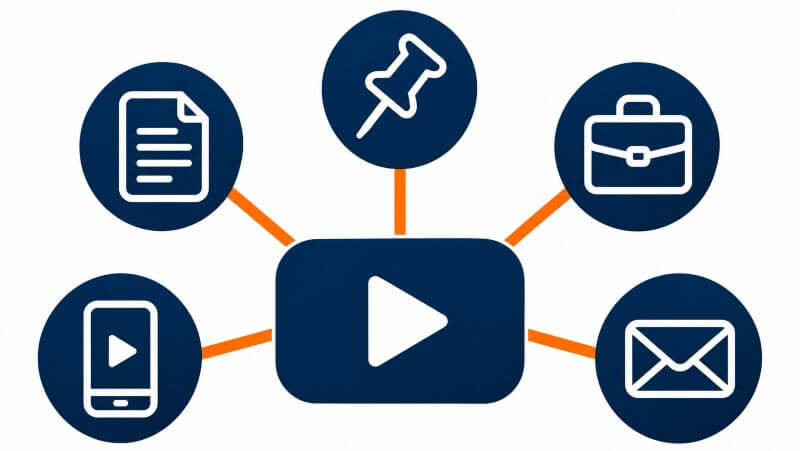
The same buyer keyword works on Google too. Turn each video into a blog post with the video embedded, then point a pin and a LinkedIn post at it, and cut a Short that links to the full review.
AffiliateSpark: What It Does
AffiliateSpark is a cloud-based tool from David Mills, who runs the LearnWire YouTube channel, that automates steps 1 to 4 of this guide.
- You drop in any product’s sales page link and it reads the page for buyer personas, pain points and angles, then turns them into keywords.
- For each keyword it shows live search volume, Google and YouTube CPC, an intent classification and a 0–100 keyword difficulty score.
- Its YouTube competition check looks at the top 20 videos for any phrase, so you can spot searches where 5 or fewer channels compete.
- Its title studio writes 5 search-ready titles under 70 characters, with the keyword at the front.
- You get 100 lifetime scans, each analysing up to 700 keywords, with one-click CSV or TXT export.
- It includes a Faceless AI Video Masterclass for making review videos without a camera or mic.
It’s $37 one-time during the launch, with a 14-day money-back guarantee. The launch runs from Wednesday 11 November to Sunday 15 November 2026.
My Verdict
The idea behind AffiliateSpark is the right one: start from the buyer’s language on the sales page, check the competition, then make the video. That’s the order the research should happen in, and doing it by hand for every product is slow enough that most people skip it.
Two things to be clear about. First, David says on his own sales page that search videos build over months, not days, and that’s the honest truth of YouTube. Second, the 100 scans are lifetime credits, not unlimited, so it suits someone making a steady stream of reviews rather than someone scanning everything in sight. The sales page also shows David’s own earnings, which are his results after years of doing this, not a forecast for a new channel.
If you’re making affiliate review videos and tired of guessing what to film, it’s worth a look.
My Bonuses
If you buy AffiliateSpark through my link, I’ll send you four bonus reports covering what happens once your videos start ranking:
- The YouTube Bonus Page Blueprint: the 13-section bonus page, choosing bonuses, mentioning them in the video and the claim process.
- The YouTube-to-List Bridge: lead magnets, where links actually work on YouTube, an opt-in and a welcome sequence.
- The Review Video Disclosure Pack: FTC and UK rules, YouTube’s paid promotion setting and copy-ready scripts.
- One Video, Four Assets: a blog post, pin, LinkedIn post and Short from every review.
See the full bonus details here ?
Frequently Asked Questions
What are buyer intent keywords on YouTube?
Searches from people who are close to buying, such as “[product] review”, “best [product] for [audience]”, “[product] vs [alternative]” and “is [product] worth it”. They usually have lower volume than general searches but a much higher chance of a sale.
Can a small channel rank on YouTube?
Yes, on the right keywords. A small channel rarely beats big channels on broad, popular searches, but it can rank well on specific buyer searches where only a few videos properly answer the question.
How long does it take for a review video to rank?
It varies. Some videos pick up search traffic within days, but most build over weeks and months. Plan for a steady stream of videos rather than expecting any single one to take off.
Do I need to show my face?
No. Screen recordings with a voiceover work well for software and tool reviews.
Do I have to disclose affiliate links in YouTube videos?
Yes. The FTC says the disclosure should be in the video, not just the description, and UK guidance expects an upfront “Ad” label. Use a spoken line, on-screen text, a description disclosure above your links, and YouTube’s paid promotion setting where it applies.
Disclosure: this post contains affiliate links. If you buy through them I may earn a commission at no extra cost to you. I’ve said plainly below where the limits are.